Choose a language for reading and drawing
The page language and your account’s preferred language are separate choices. Use the footer to read a page in another language. Use Account to save the language you want for your account.
Change the page language
- Find the language links
At the bottom of the home page or a guide, find the language names. The current language is highlighted; the other names are links. You do not need an account. The tool page has no footer: switch language on the home page, then choose Open Tool, or use a language address as shown below.

Choose a language by its native name; the current language is not a link. - Open the translated page
Choose a language. On a guide, the link opens the same guide in that language. It opens the page from its main address, so a section anchor or search parameters are not carried across. Use the translated table of contents to return to the section you need.
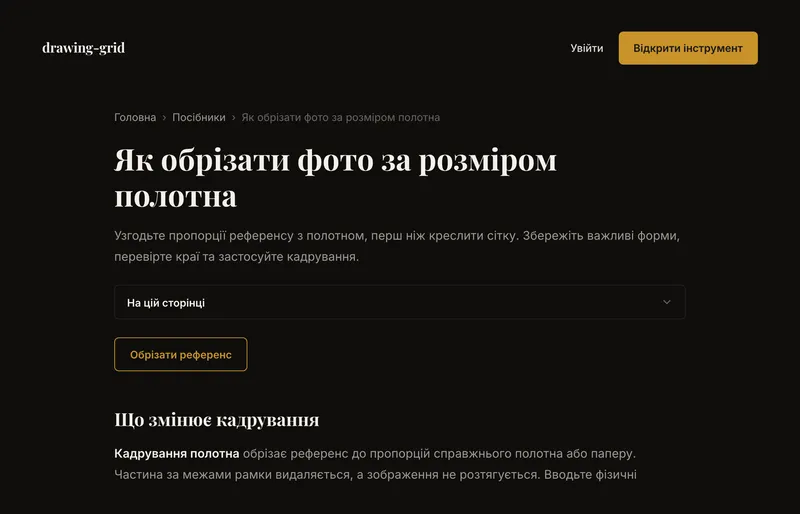
The guide stays the same; its headings, instructions and navigation change language. - Keep the right link
Bookmark or share the translated page’s address. For example,
/de/toolopens German and/uk/toolopens Ukrainian./toolopens English. Reloading keeps the language in that address; changing your browser’s language does not automatically change it.
Save your preferred language
Log in, open the account menu in the tool and choose Account. Change Language there, not on the Settings page. The page switches immediately while the account preference saves in the background.
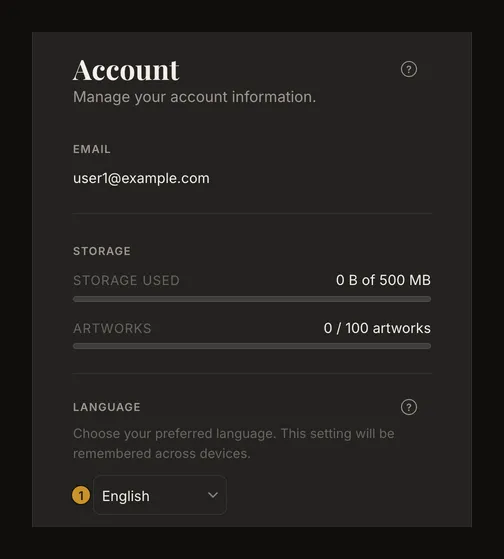
After a successful save, your preferred language can be used when you log in on another device. Email and Google logins use a supported account preference when available; without one, they keep the language of the login page. Once logged in, footer links still work: browsing another language does not rewrite the account preference, and the account does not force every page back on reload.
The Account selector can therefore show a different preference from the page you are reading. Choose it again if you want to change the saved preference, rather than just this page.
When the change has not reached another device
An immediate language switch is not proof that the account save has finished. A connection failure can leave the change waiting locally. Reconnect and reopen Account, then check the preference after logging in on the other device. Logging out while the change is still waiting discards it, and it never moves to another account.
Local recovery of a pending choice depends on browser storage. Clearing site data or unavailable storage can lose that pending copy. Do not rely on an offline change reaching another device until you have checked it there.
The fourteen available languages
English, Українська, Español, Français, Deutsch, Português, Italiano, Nederlands, Polski, Svenska, Türkçe, Čeština, Dansk and Norsk bokmål are the available choices. Norwegian is Bokmål. The footer and Account selector use these native names so you can recognise your language even on an unfamiliar page.
If a page uses an unexpected language
First check the address and choose a language from the footer. A link without a language prefix normally opens English; a saved account preference does not silently replace an explicitly opened language. Unsupported language codes are not extra translations.
All fourteen languages have translated interfaces and guide text. A screenshot inside a guide may still show English controls. If a translation file cannot be loaded, the app can fall back to English; this does not promise a translation for every unexpected message. Return to a supported language if a page is difficult to read.
Frequently asked questions
Why does the home page stay English despite my browser language?
The address chooses the public page’s language. The unprefixed home page is English; choose a footer language or open a translated bookmark. Browser preferences do not automatically redirect these pages.
Does changing language rename my artworks or projects?
No. It translates interface labels and guide text, not the names you entered for your own work.